03 - DNP3 Configuration for SCADA
5 min
Software ที่เกี่ยวข้องในการเชื่อมต่อกับ SCADA
Software ที่เกี่ยวข้องในการเชื่อมต่อกับ SCADA ประกอบด้วย
- iGW-VM เป็น Software ที่ run บน Windows service ใช้สำหรับเชื่อมต่อรับข้อมูลจาก Intelligent Electronic Devices (IED) ซึ่งได้แก่ Protective relay และ Bay Control Unit (BCU)
- iConf เป็น Software ที่ใช้ Configure ฐานข้อมูลของ iGW-VM
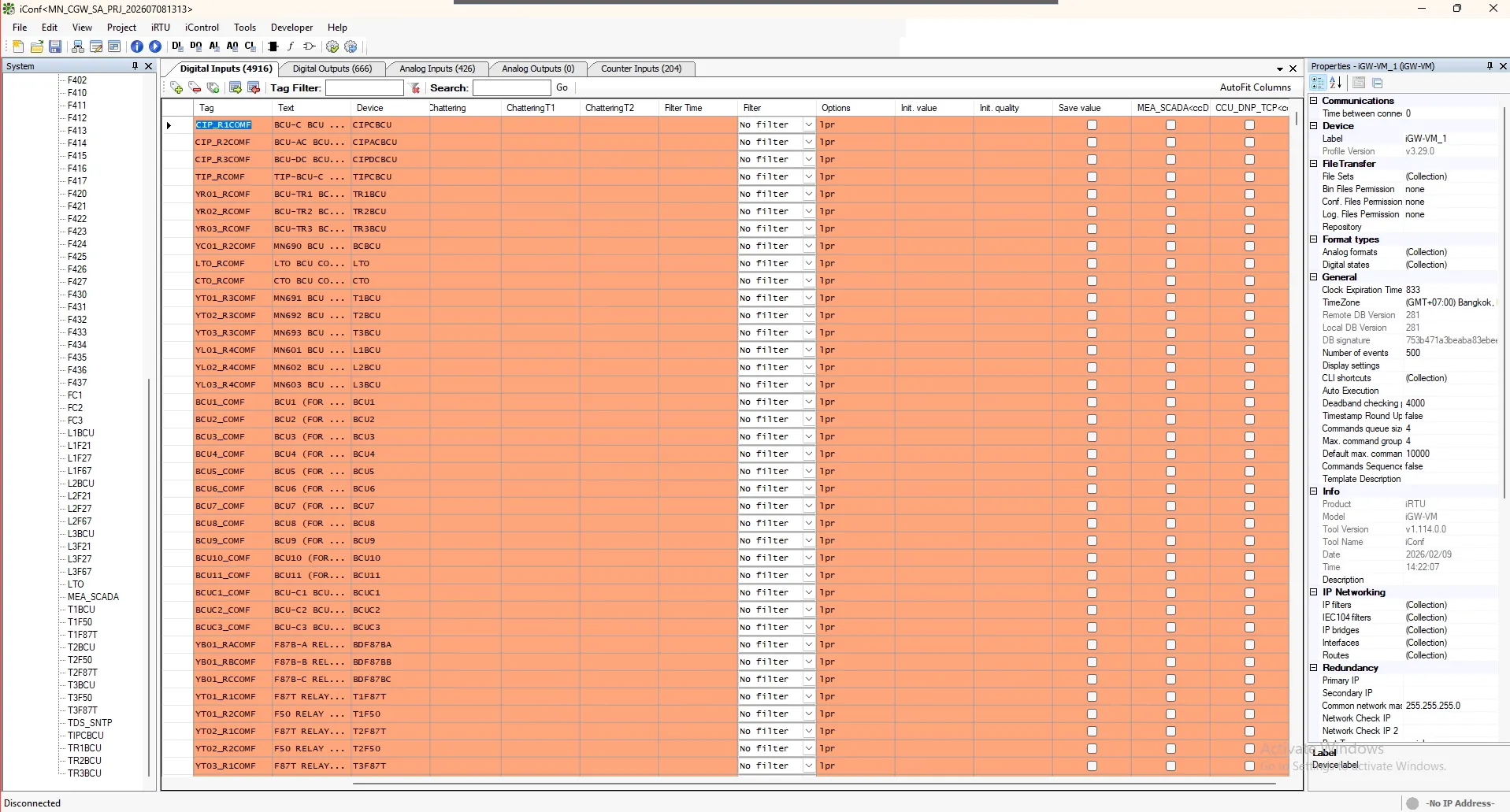
Signal mapping to SCADA
การ map สัญญาณ เพื่อส่งให้กับ SCADA สามารถดำเนินการได้ดังนี้
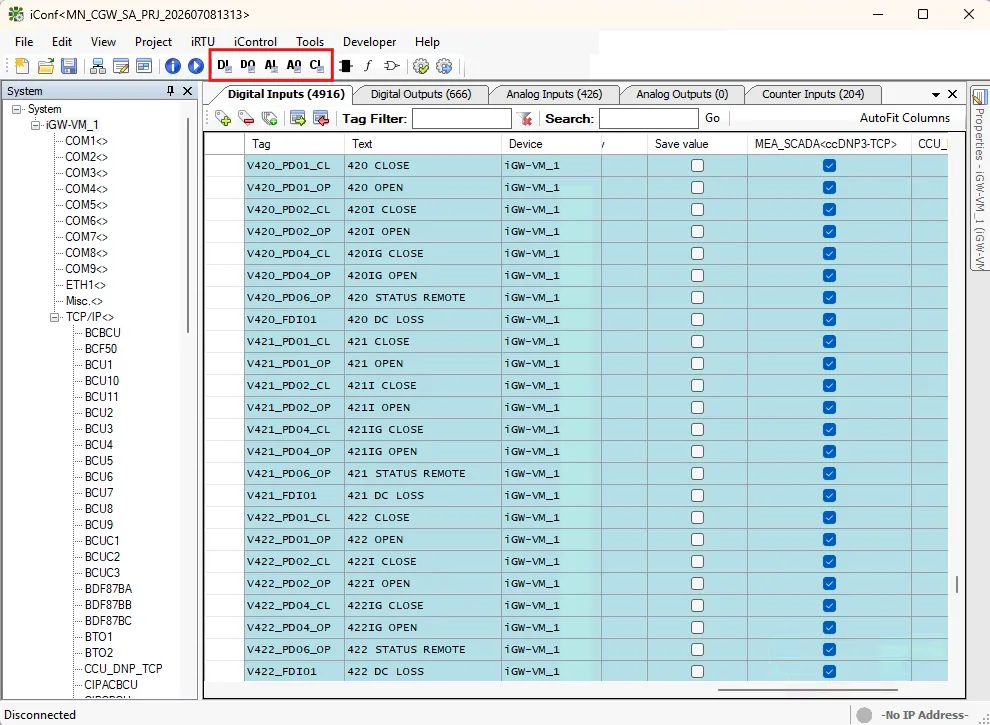
- เลือกชนิดของสัญญาณที่ต้องการแก้ไขชื่อของสัญญาณ โดยการกดปุ่มบน toolbars ด้านบน โดยประกอบด้วย 5 ชนิด ได้แก่
- DI : Digital Inputs
- DO : Digital Outputs
- AI : Analog Inputs
- AO : Analog Outputs
- CI : Counter Inputs
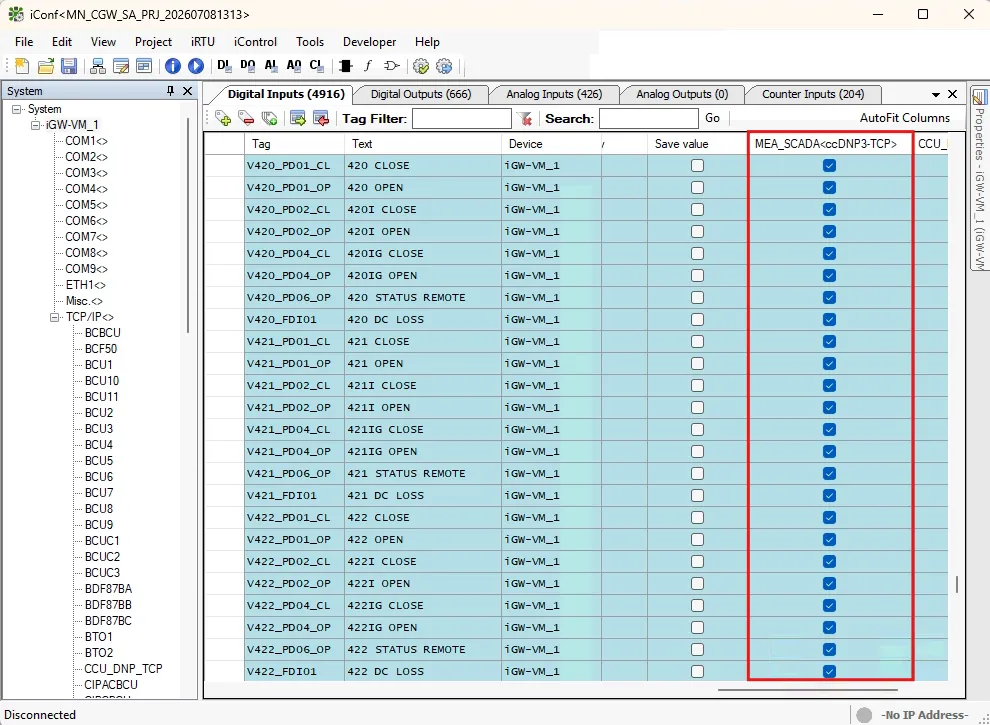
- เลือกสัญญาณที่ต้องการ map ส่งให้กับ SCADA โดยกด check box ที่ MEA_SCADA<ccDNP3-TCP>
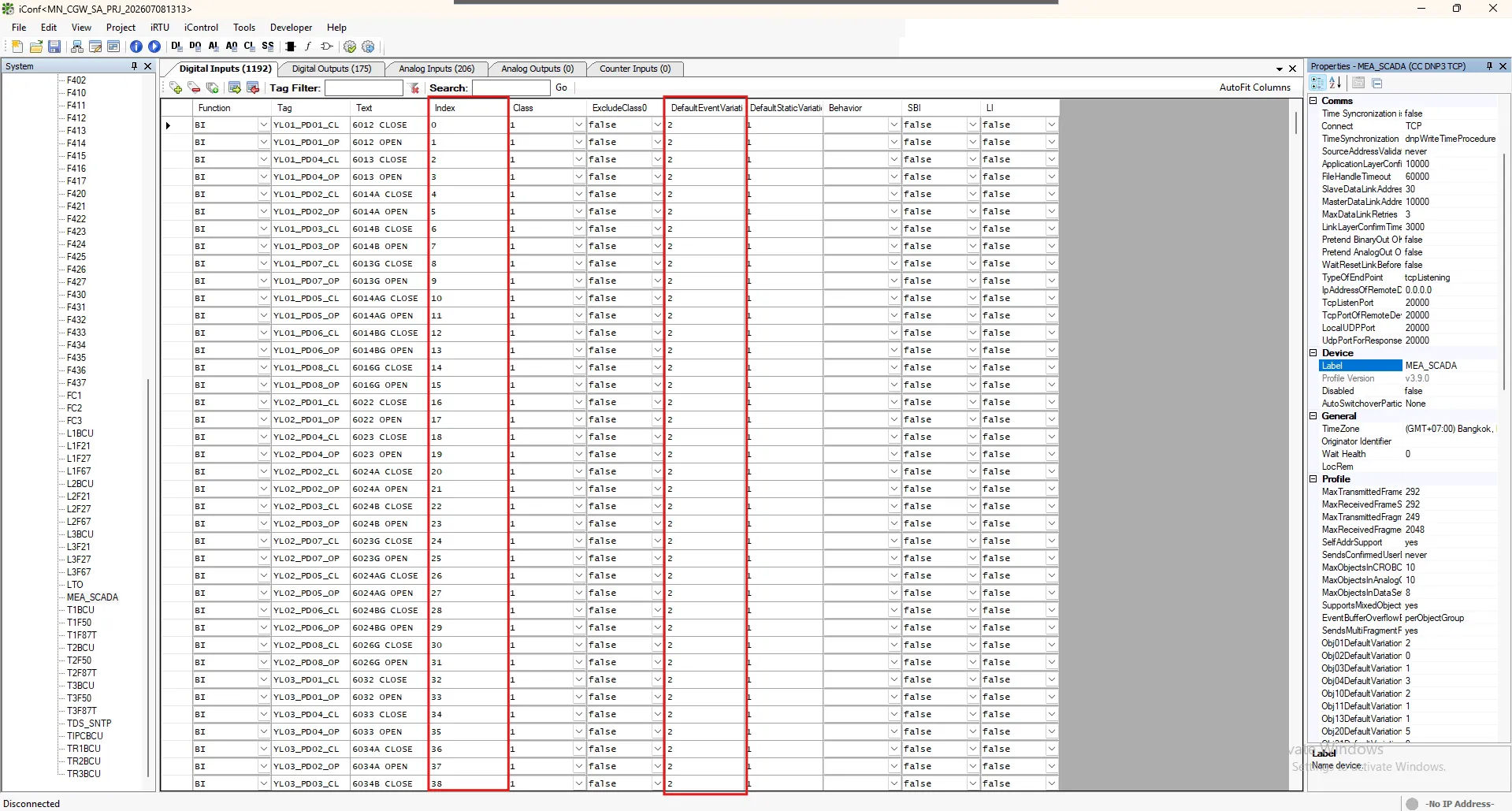
- ระบุ Point Address ลงในช่อง Index และระบุ DefaultEventVariation เป็น 2 เพื่อส่ง DI with timestamp
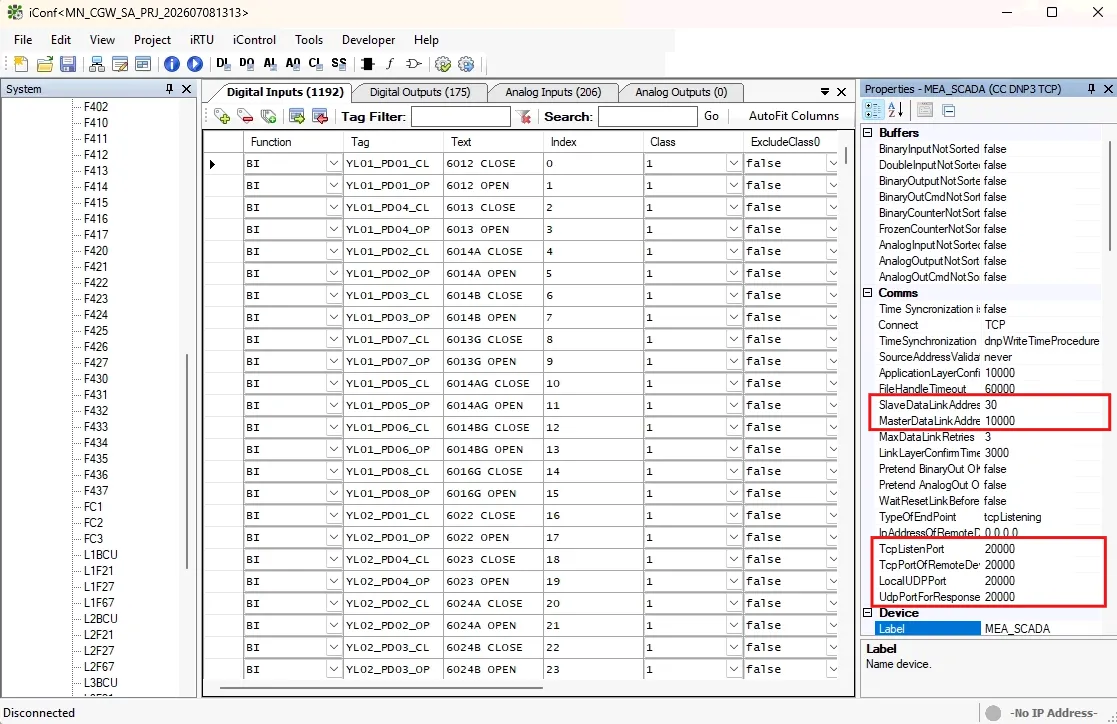
Note : สำหรับการระบุ Master address, Slave address และ Port ของ DNP3 จะอยู่ใน Properties panel ของ iConf
Apply Configuration to Gateway (iGW-VM)
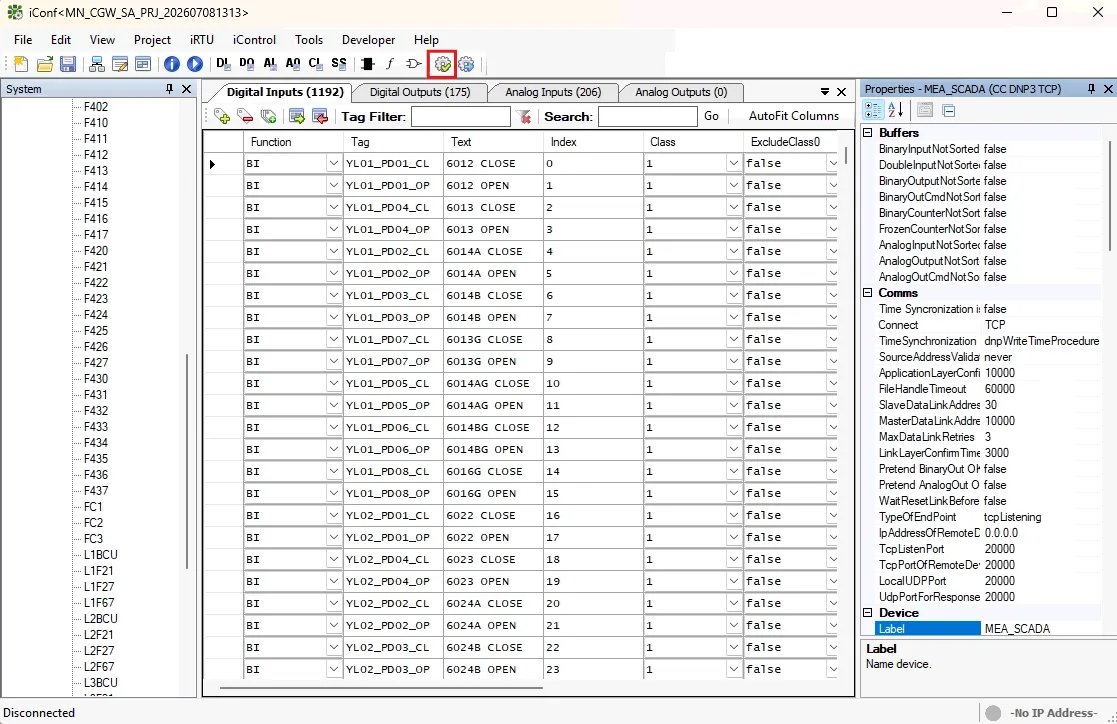
- Validate configuration ก่อน โดยการกดปุ่มตามรูปด้านล่าง
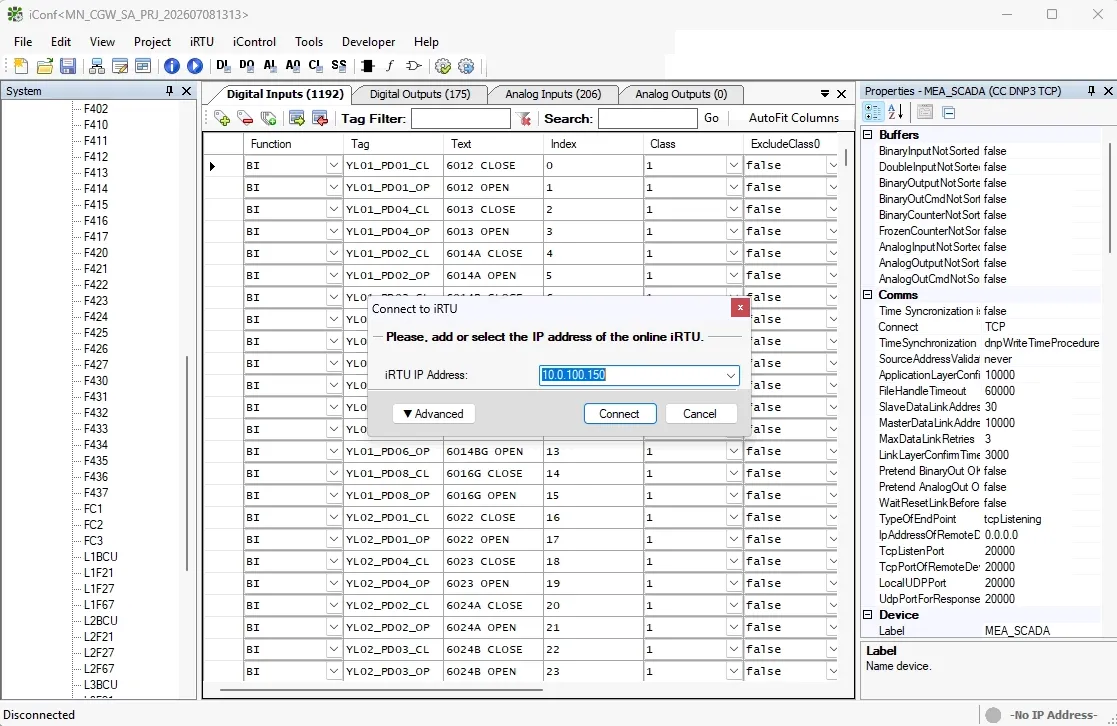
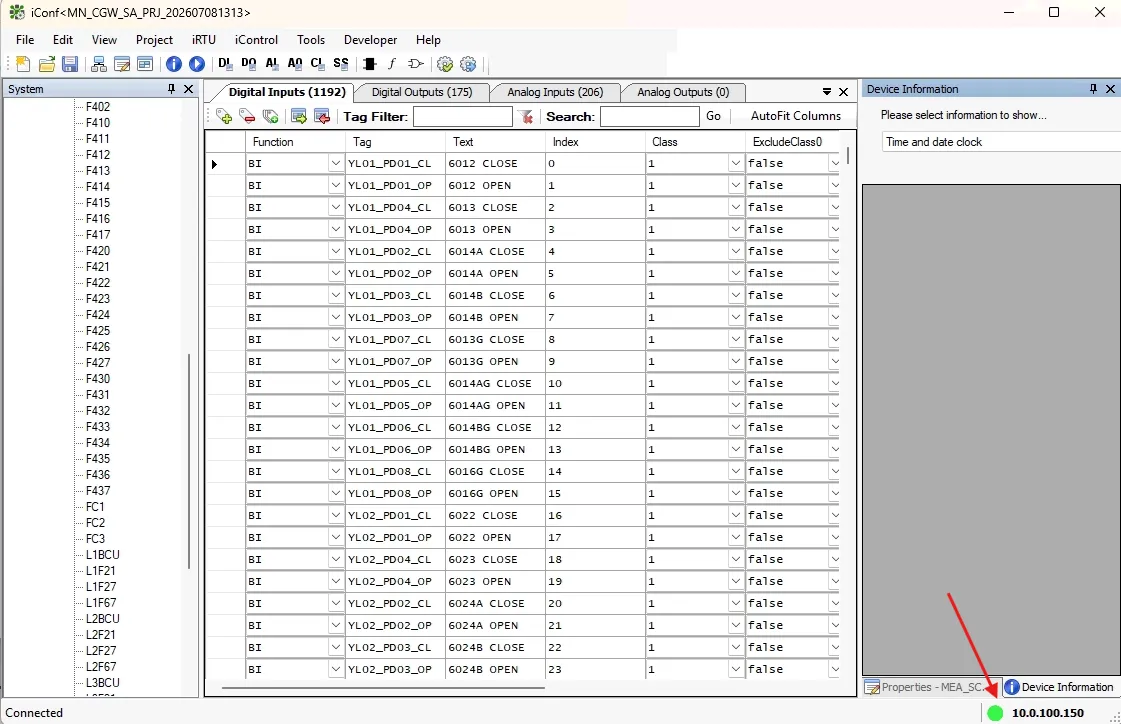
- กด iRTU > Connect หลังจากนั้นให้ระบุ IP ของ Gateway และกด Connect หาก connect สำเหร็จ ด้านล่างจะขึ้นเป็นสีเขียวพร้อมทั้งระบุ IP ของ Gateway
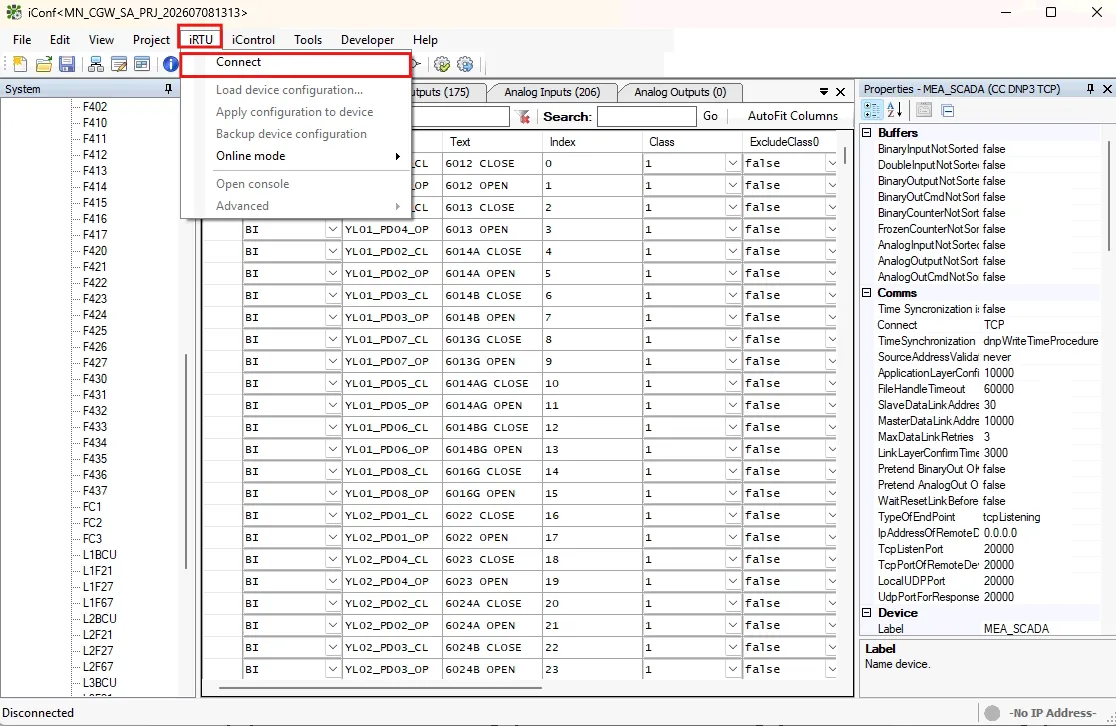
- กดไปที่ iRTU > Apply configuration to device
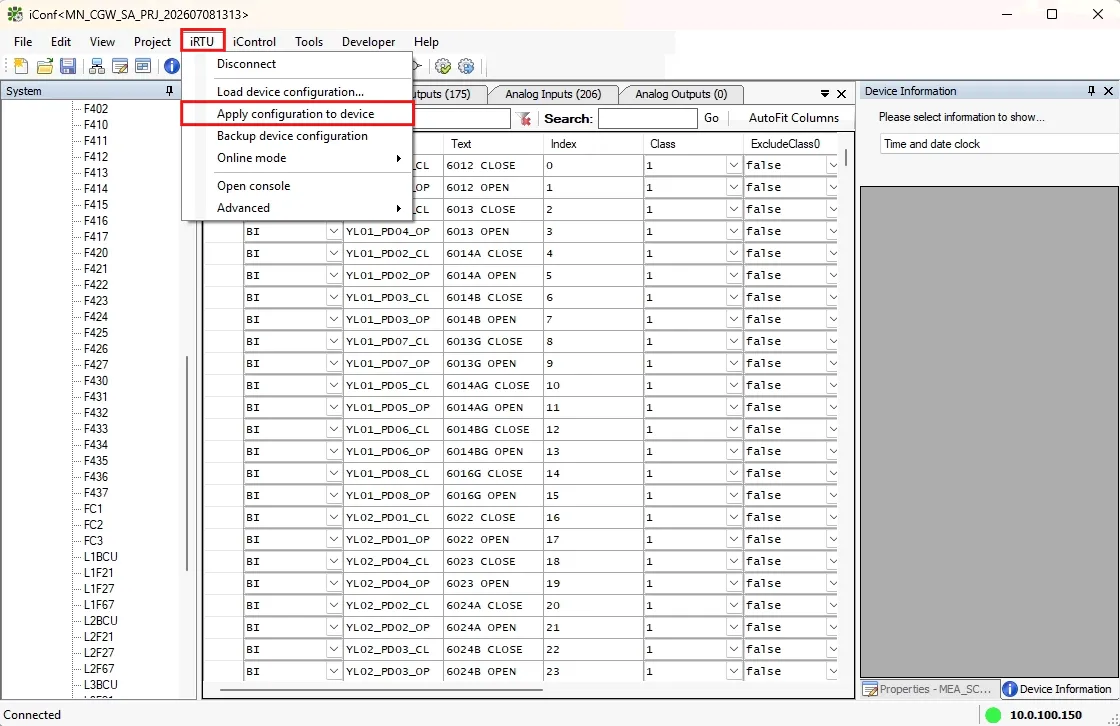
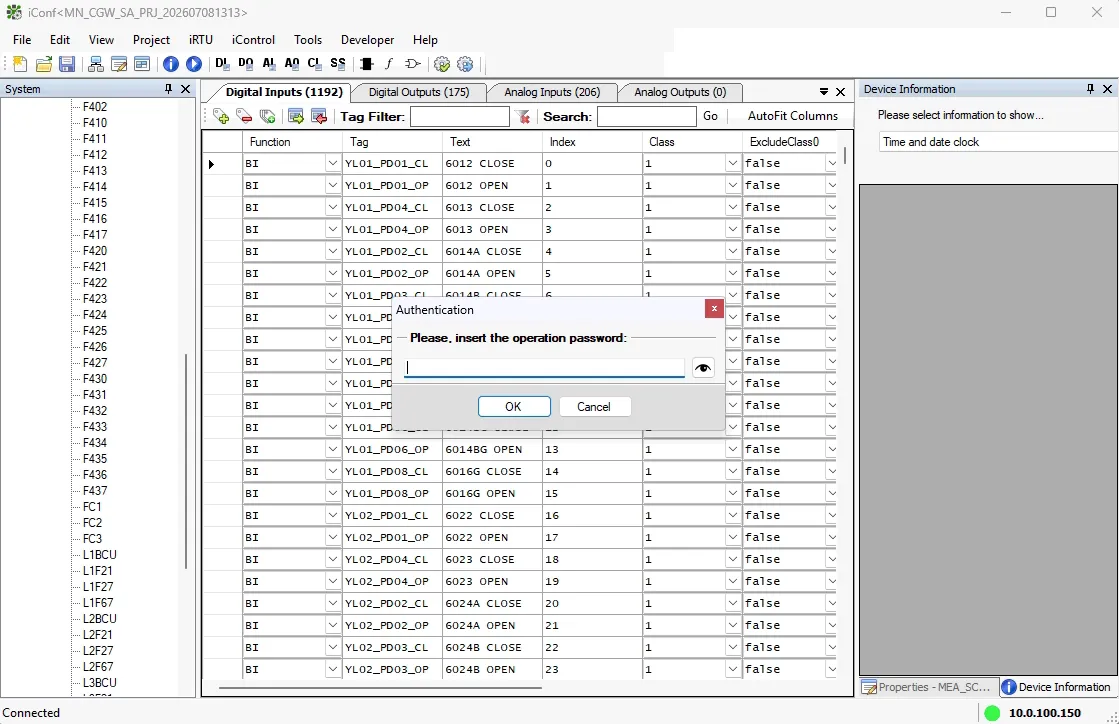
- ระบุ Password เป็น irtufirmware แล้วกด OK หลังจากนั้นจะมี popup แจ้งว่า ถ้าจะใช้ configuration ใหม่ที่เพิ่งอัพเดตเข้าไป ให้ restart gateway เพื่อให้ gateway run ด้วย configuration ใหม่ ให้กด yes เพื่อให้ iConf software สั่ง restart gateway ให้ได้เลย