02 - Graphic Display Modification
11 min
การแก้ไข Graphic Display บน CCU
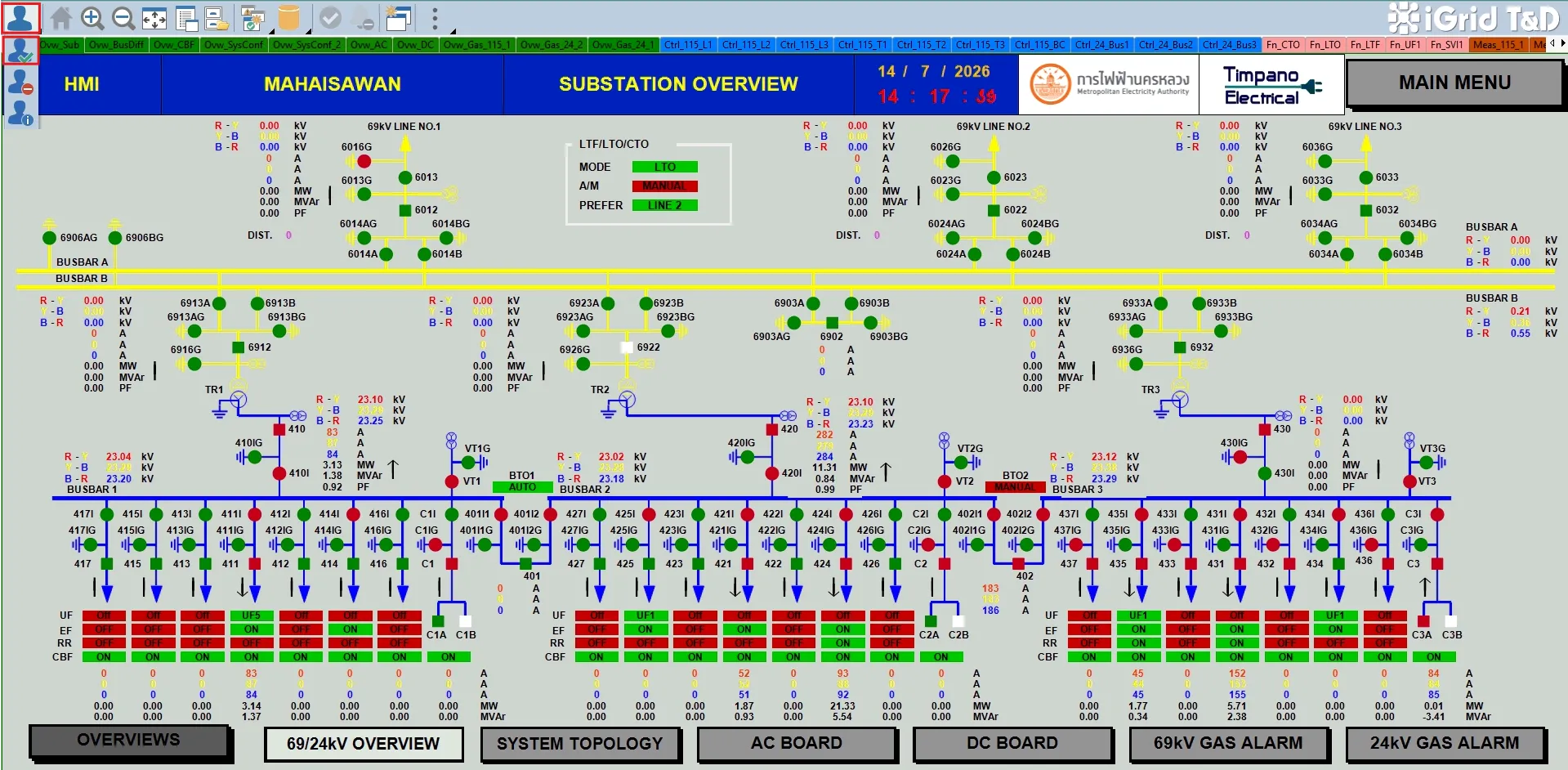
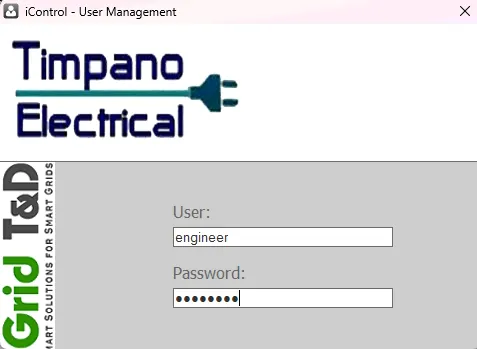
- login ด้วย engineer user โดยการกดปุ่ม บนรูปด้านล่าง หลังจากนั้นให้ใส่ username : engineer และ password : engineer
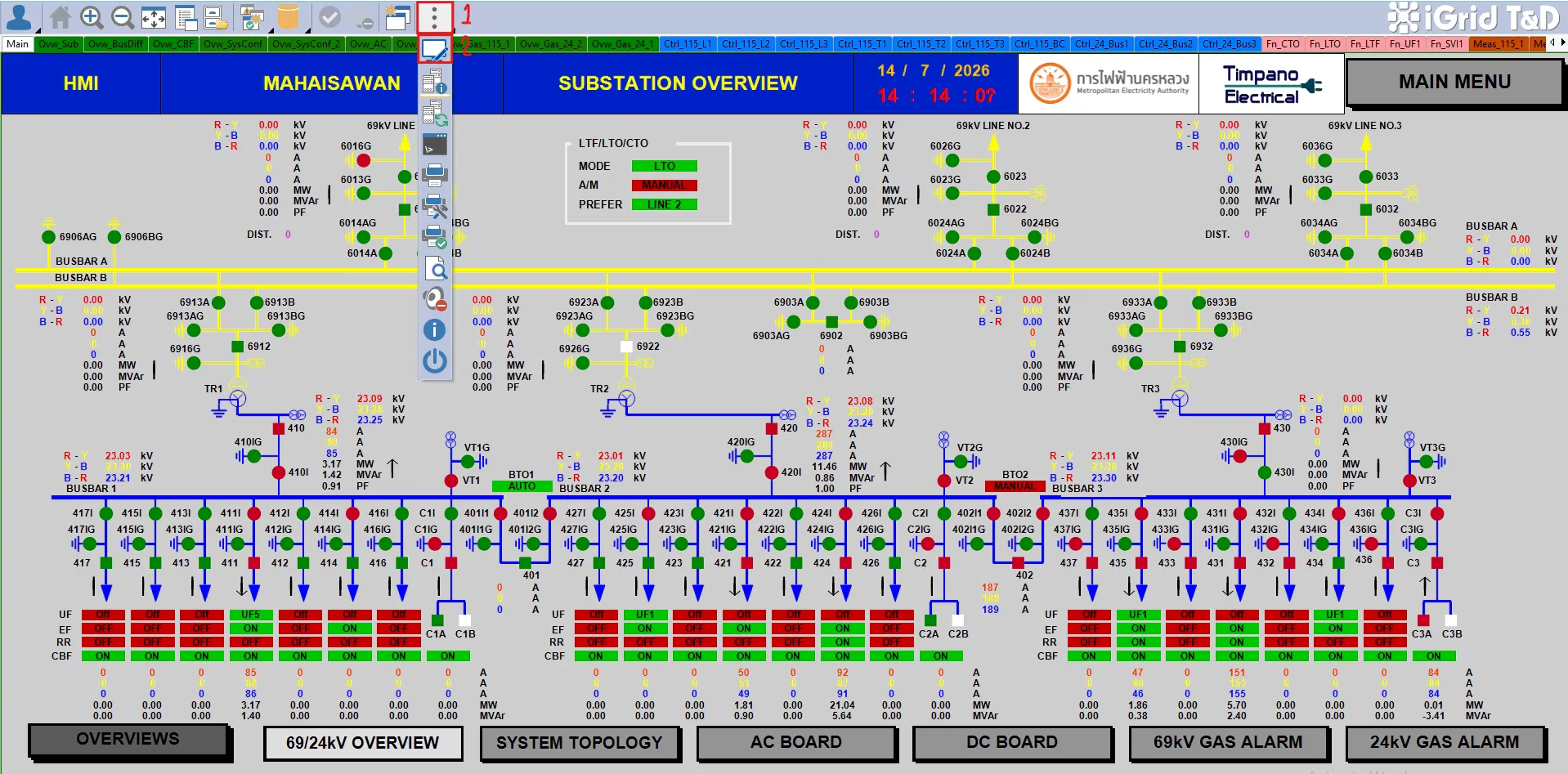
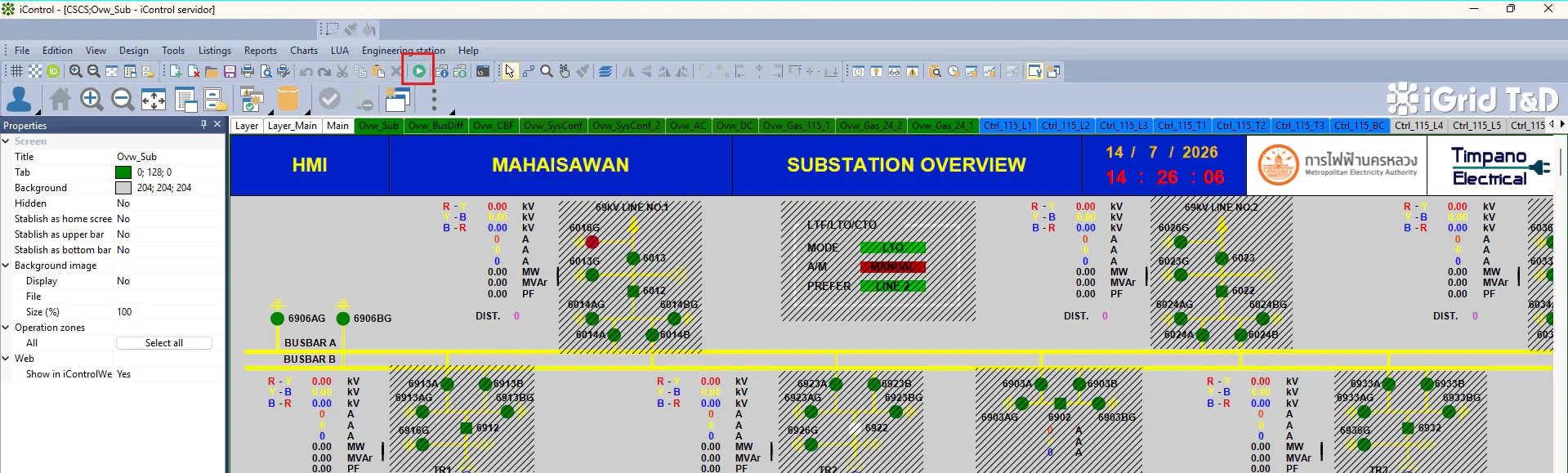
- เข้า Edition mode โดยการกดปุ่มตามรูปด้านล่าง หรือกด F2 บน keyboard
- หลังจากแก้ไข Graphic Display เรียบร้อยแล้ว ให้กด Ctrl+S เพื่อ Save
- กลับเข้าสู่ Runtime mode หรือ Operation mode โดยการกดปุ่มตามรูปด้านล่าง หรือใช้ F5 บน keyboard
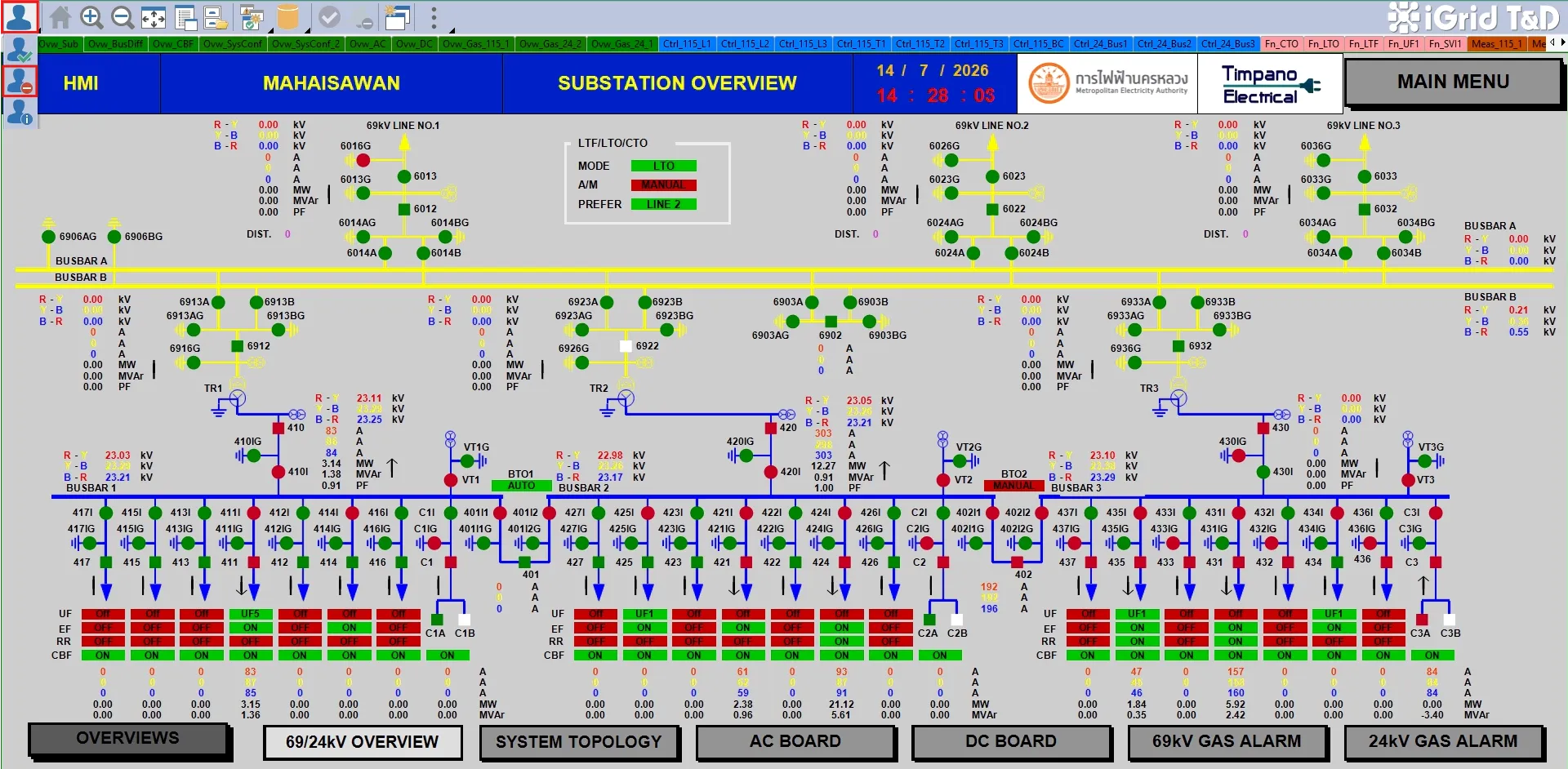
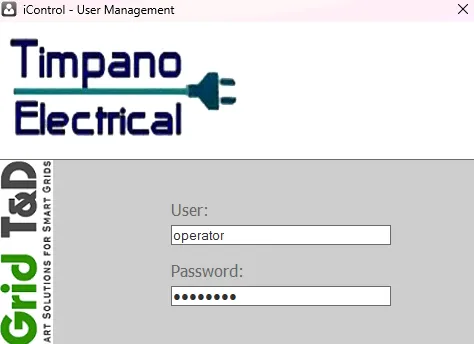
- Logout ออกจาก engineer user โดยกดปุ่มตามรูปด้านล่าง ยืนยันการ logout และ login ด้วย operator user (username : operator และ password : operator)
Note :
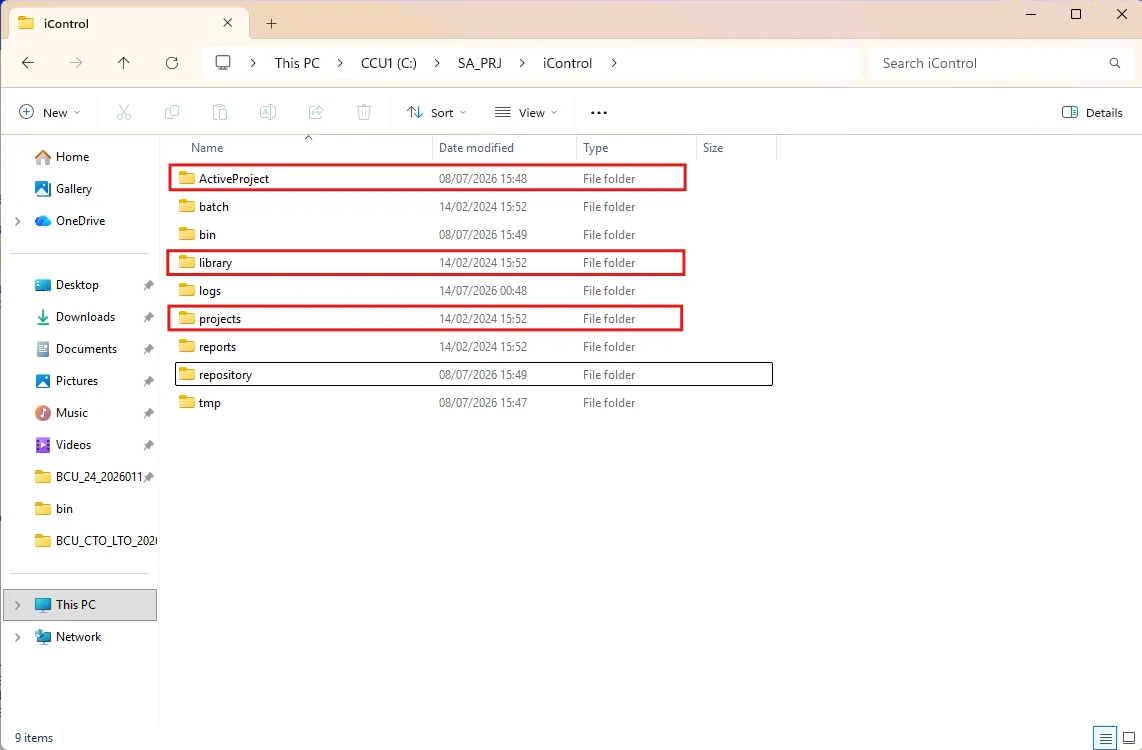
- หลังจากแก้ไขที่ CCU1 แล้ว จะต้อง Copy file ไปที่เครื่อง CCU2 ด้วย โดยการ copy ActiveProject folderและ projects folder ที่อยู่ด้านใน iControl folder ไปทับ project ที่ CCU2 เดิม
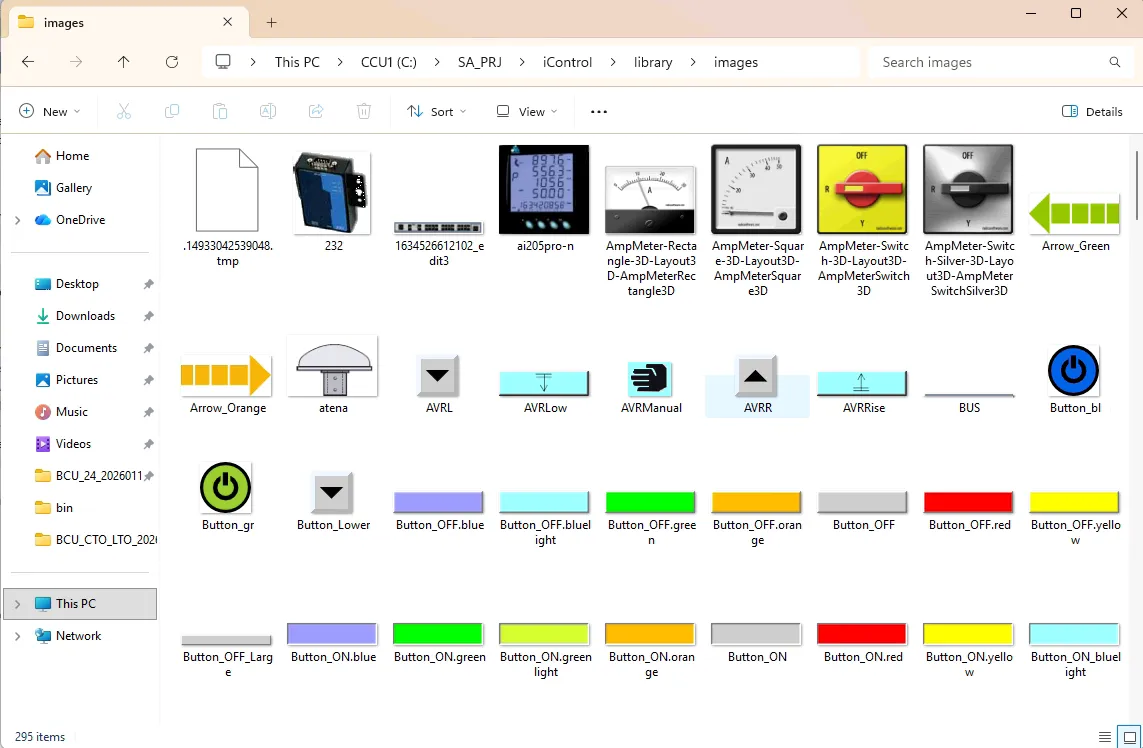
- หากมีเพิ่มรูปภาพเข้าใน iControl folder ด้วย ให้ copy library folder ไปด้วย
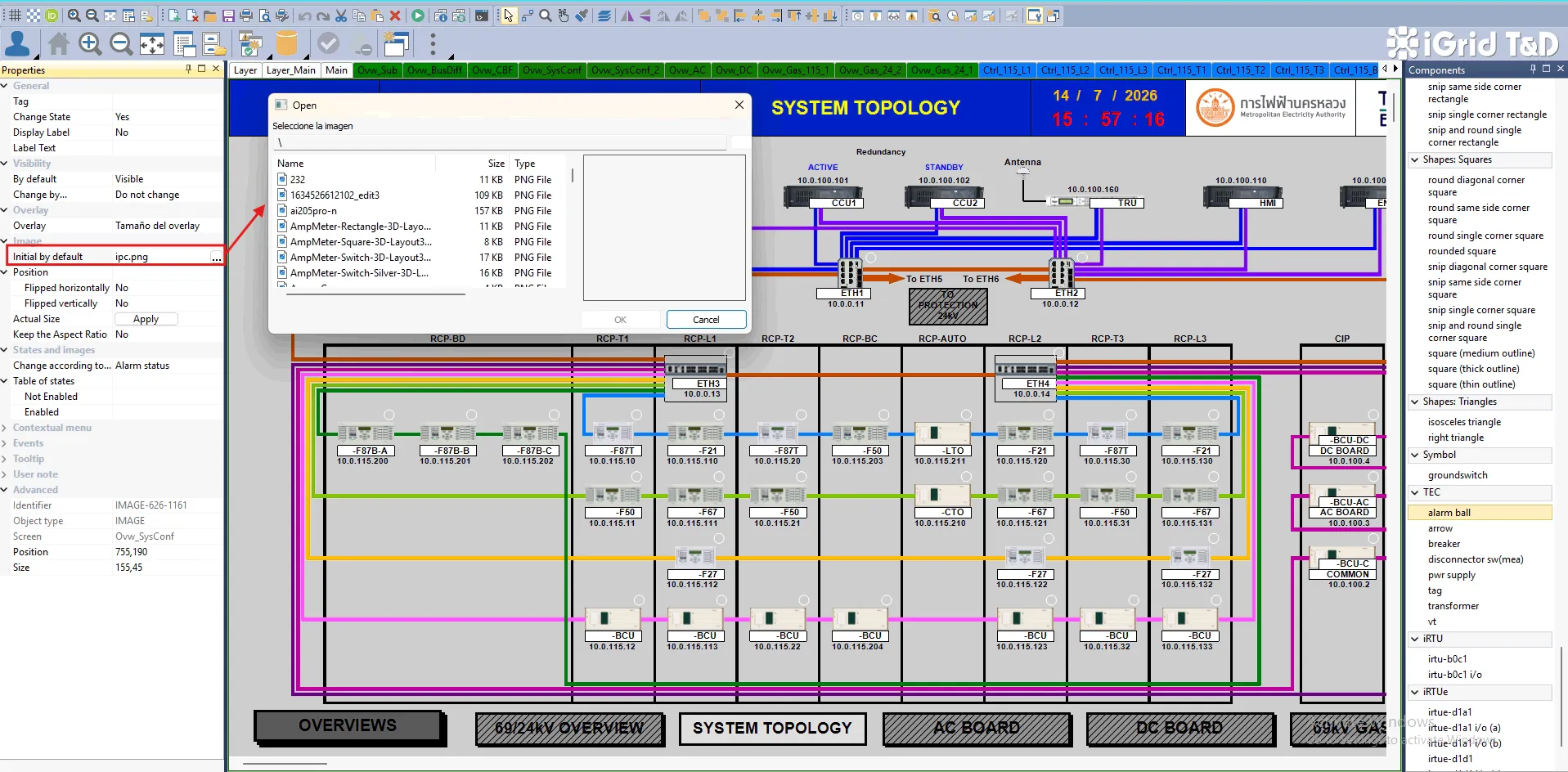
- เครื่อง HMI จะ load screen file จากเครื่อง CCU อัตโนมัติหลังจากกด start iControl แต่กรณีที่ HMI ไม่เปลี่ยน Graphic Screen ตามเครื่อง CCU ให้ copy จากเครื่อง CCU ไปวางที่เครื่อง HMI ด้วย เหมือนกับที่ Copy ไป CCU2
Component/Library ของ iControl ที่ใช้บ่อย
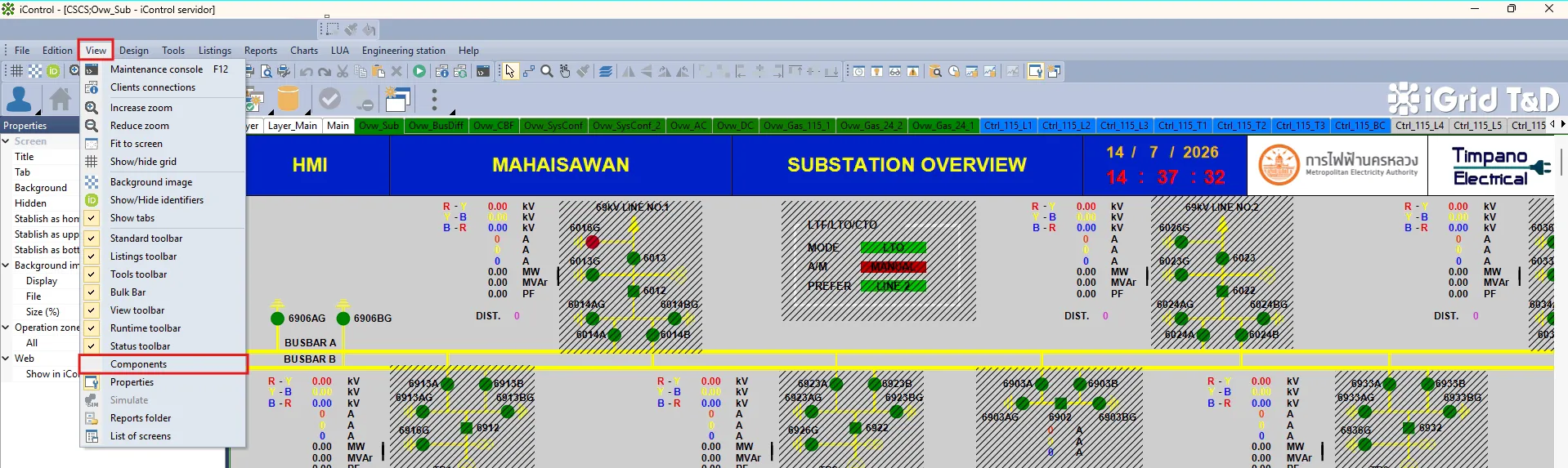
Note : Component หรือ Library บน iControl สามารถเปิดดูได้จาก View > Components ตามรูปแนบ
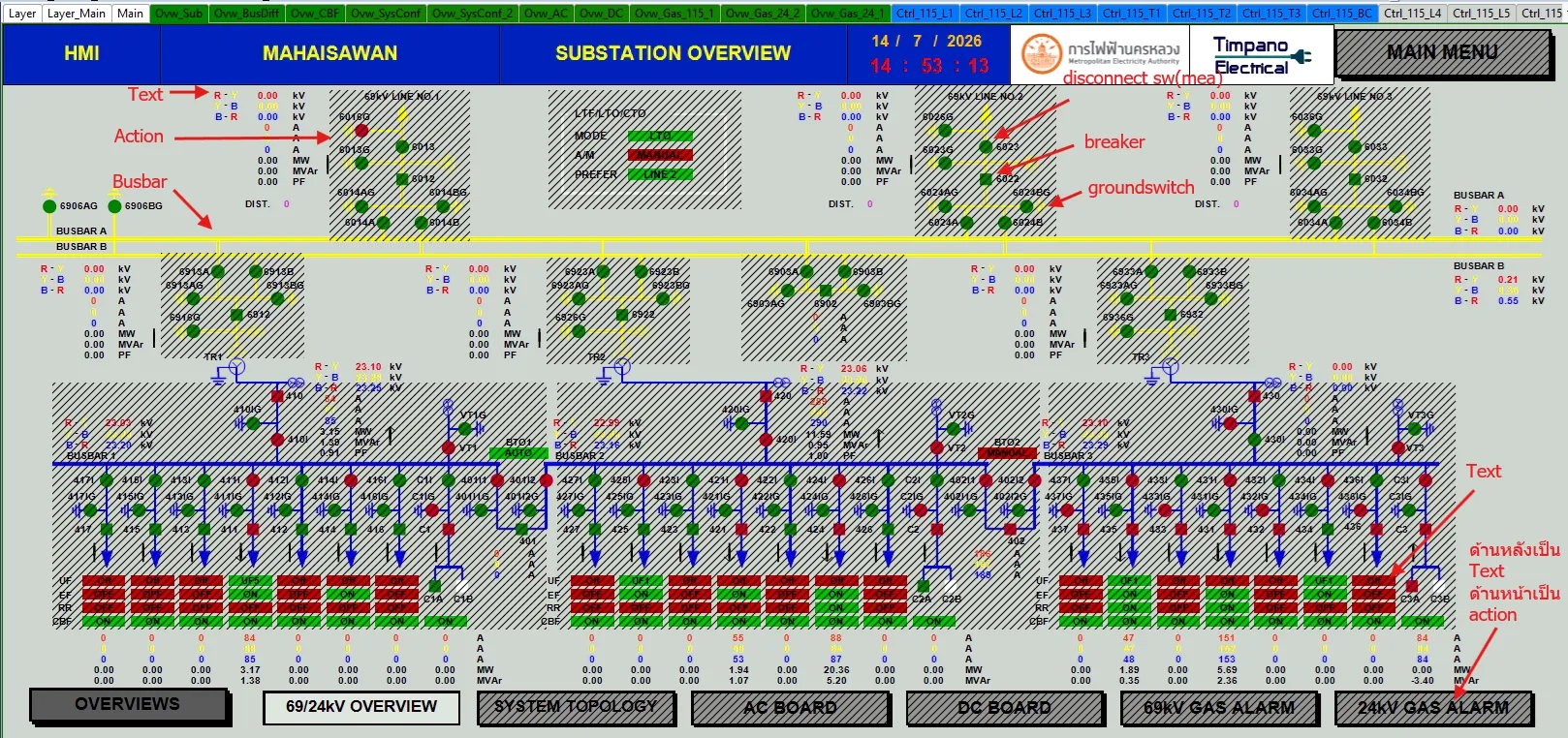
- Action : ใช้สำหรับทำปุ่มสำหรับเปิดไปยังหน้าอื่น, ปุ่มสำหรับเปิด Alarm List, ปุ่มสำหรับเปิด Event List เป็นต้น (บน Edition mode จะเห็นเป็นขีด ///// แต่บน Runtime mode/Operation mode จะไม่เห็น)
- Busbar : ใช้สำหรับวาด Single Line Diagram
- Image : ใช้สำหรับนำรูปแปะลงบน Graphic Screen
- Meter bar : ใช้สำหรับทำ Bar Graph แสดง Current หรือ Voltage
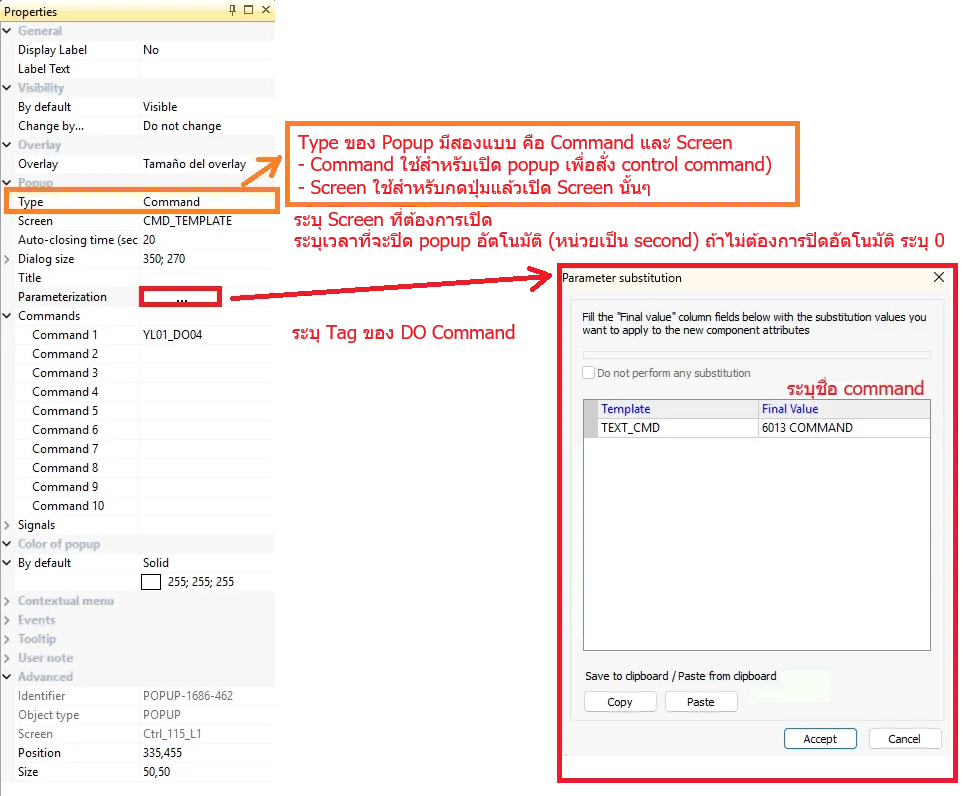
- Popup : ใช้สำหรับทำปุ่ม Command popup (บน Edition mode จำเห็นเป็นลายตารางสีขาว แต่บน Runtime/operation mode จะไม่เห็น)
- Text : ใช้สำหรับทำกรอบสี่เหลี่ยม หรือใส่ text ลงบน Graphic display รวมถึง Annunciator และแทนเส้น fiber optic ในหน้า System Topology ด้วย
- Breaker ในกลุ่มของ "TEC" : แทนสัญลักษณ์ Circuit Breaker บน Single Line Diagram
- Disconnector sw(mea) ในกลุ่มของ "TEC" : แทนสัญลักษณ์ของ Disconnect switch บน Single Line Diagram
- Groundswitch : แทนสัญลักษณ์ ground บน Single Line Diagram
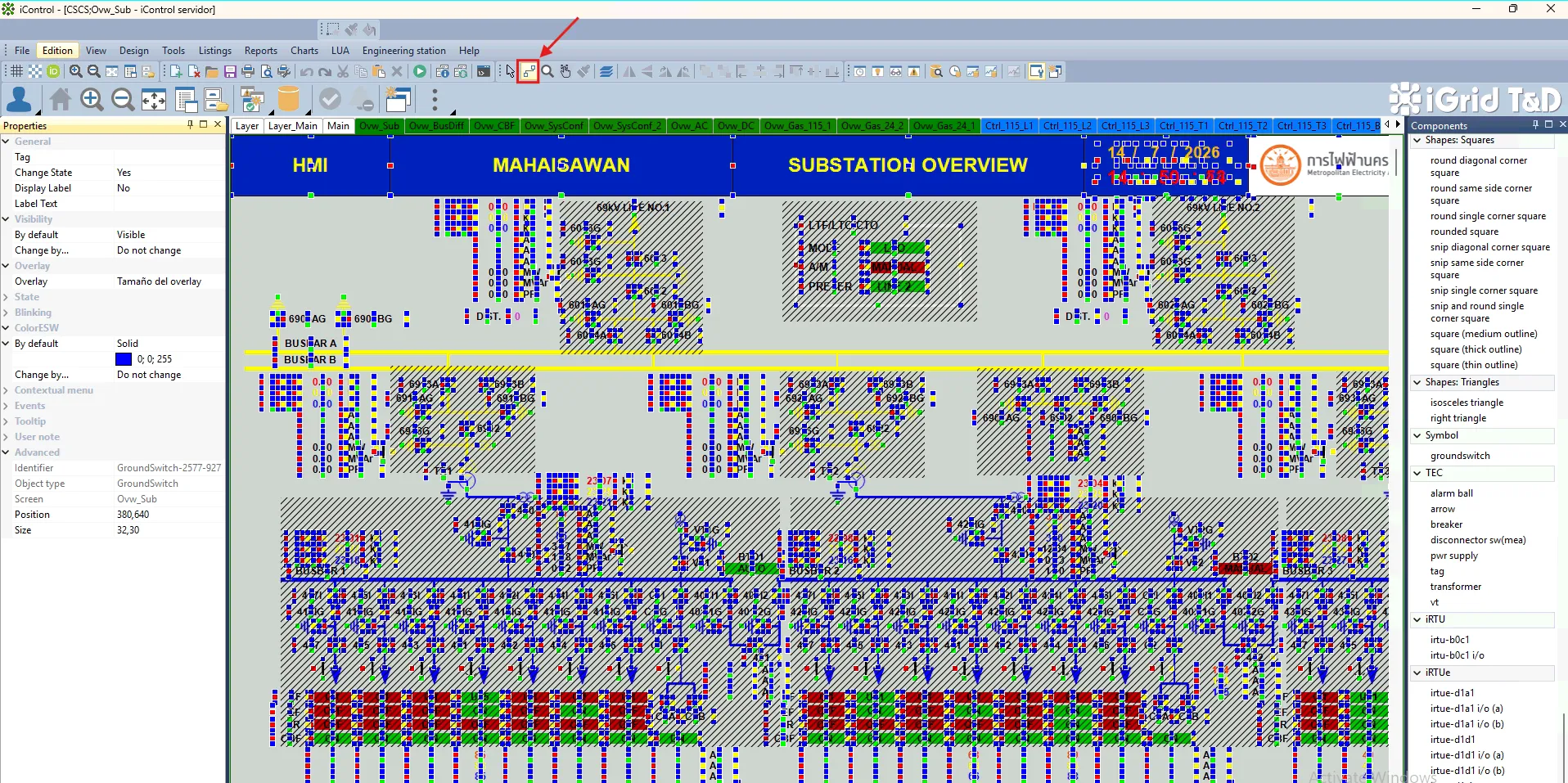
Note : สำหรับเส้นที่เชื่อมระหว่าง component จะใช้ Connection ของ iControl โดยกดตามรูปแนบ
ตัวอย่างการใช้งาน
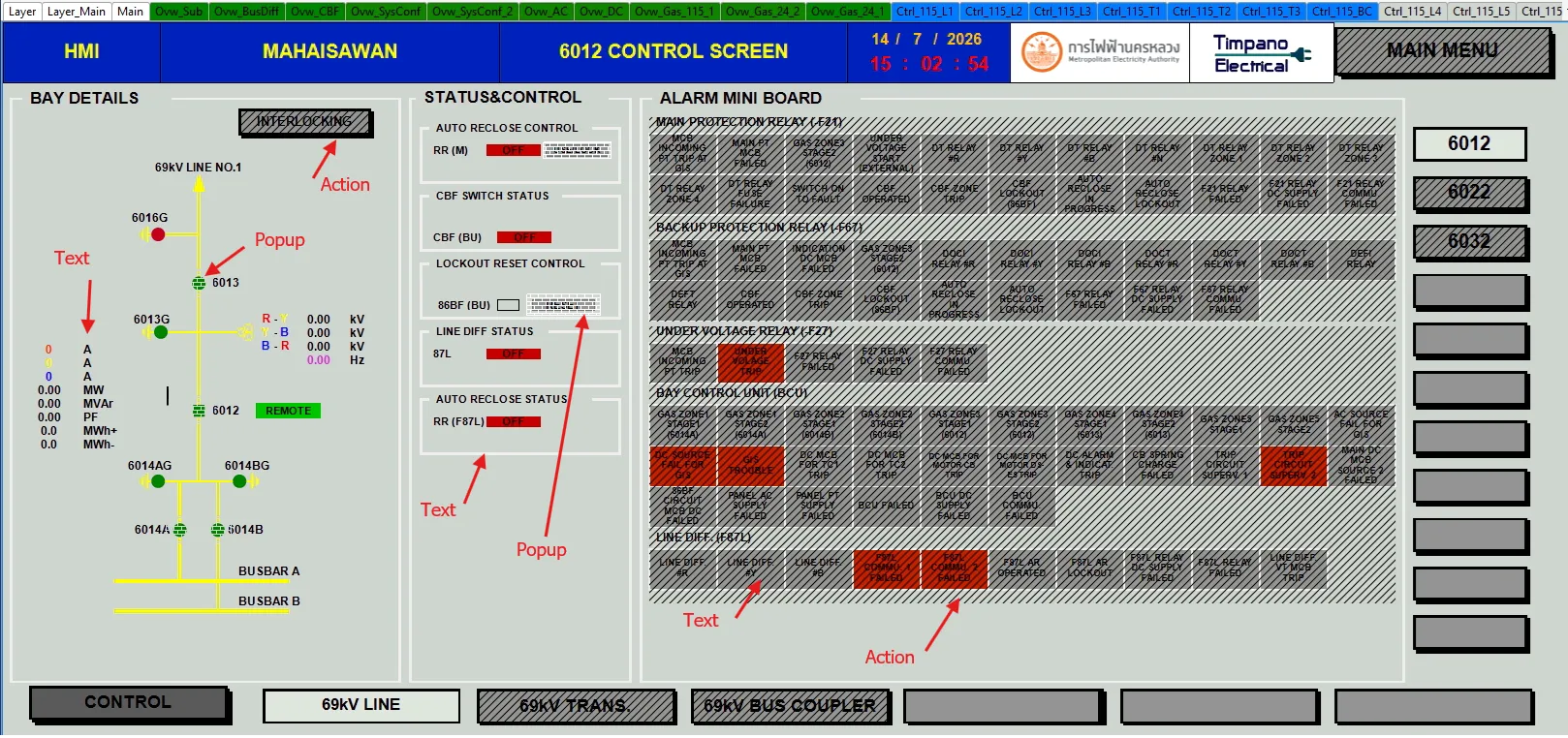
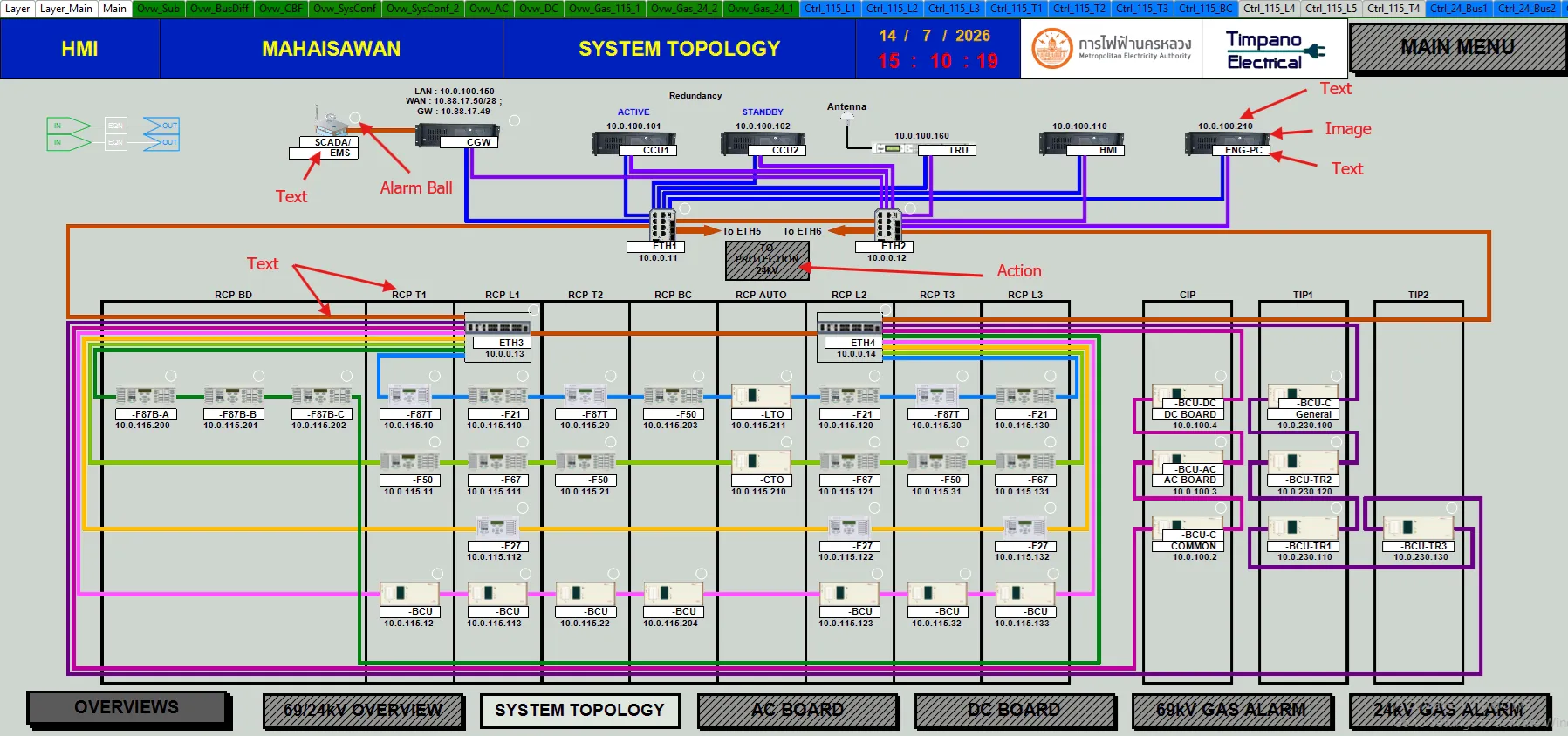
Component Setting
- Text
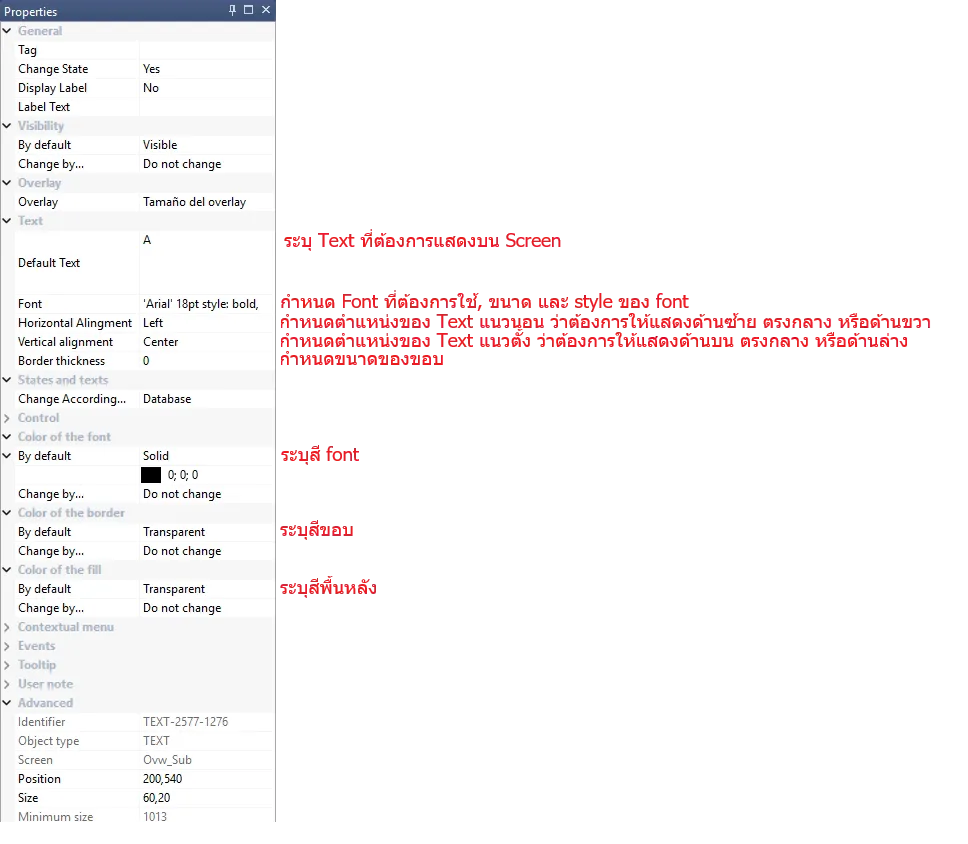
1.1 Static Text
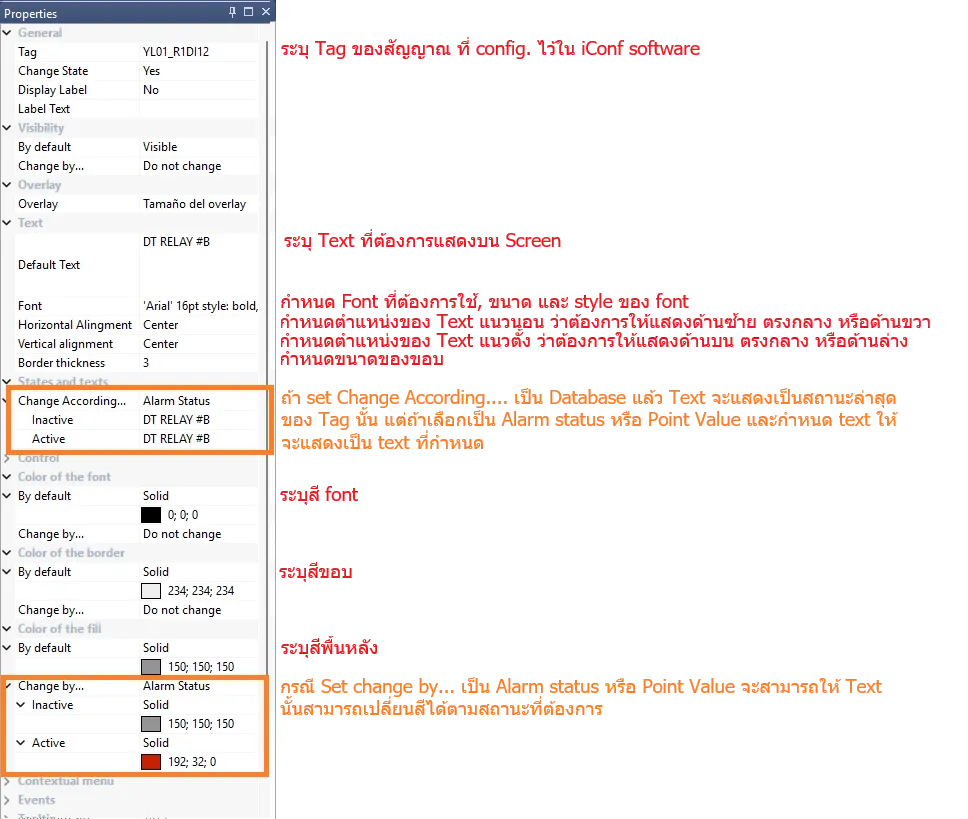
1.2 Dynamic Text
- Action
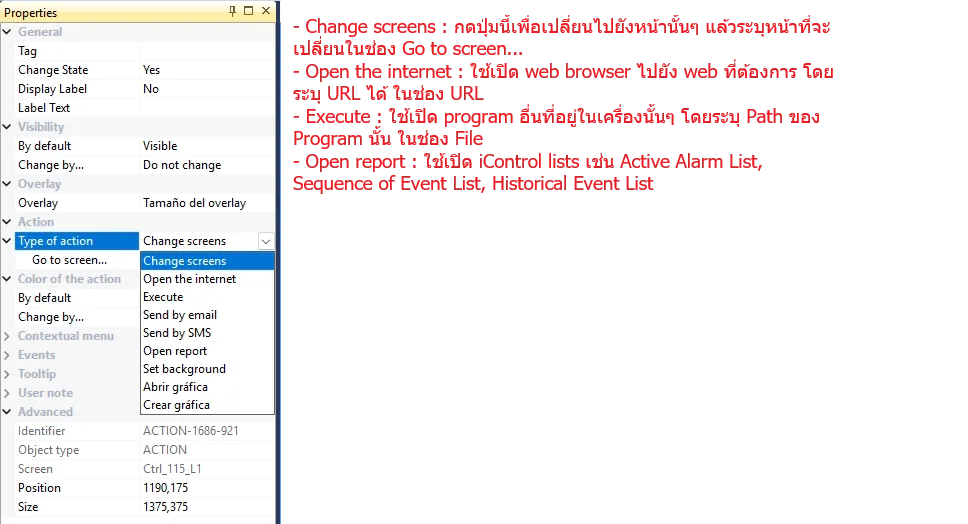
- Popup (Command)
- Image
- Copy รูปใส่เข้าไปใน library/images ด้านใน iControl folder โดยรูปที่ใช้ได้ จะต้องอยู่ใน PNG format เท่านั้น